

Suggested products
Similar products, from your own catalogue.
Pick a product, and Otus suggests similar ones from your own catalogue to drop into an email — with Shopify’s links, your prices and real photos.
Suggested products
Choose a product and we’ll suggest similar ones from your catalog. They’re fixed when you publish: every shopper sees the same products.
In this email
These products are chosen now and stay the same for every shopper who gets this email.
New this week
A few favourites from the shop.
Your store · Your business address
Ready for email
Every product is ready to send.
Every suggestion carries Shopify’s own link, a price in your store’s currency and a photo. Products that can’t appear in an email are left out.
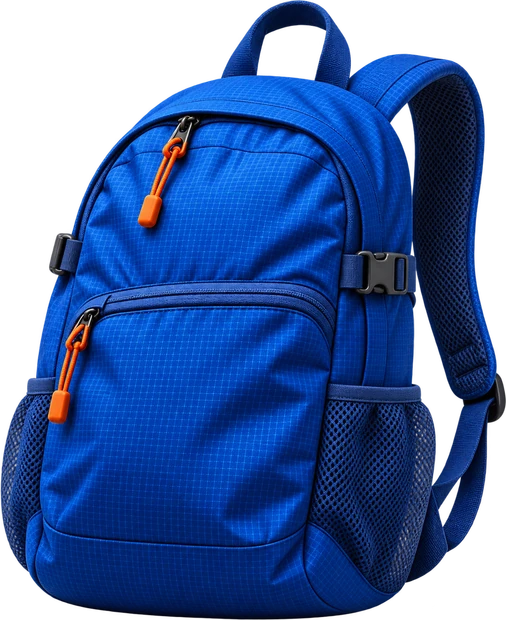 Ridge DaypackPrice in your store’s currencyShop Now
- A real photoYour product’s own image.
- Your priceIn your store’s currency.
- Shopify’s own linkThe button opens the product on your online store.
Left out of suggestions
- Out of stock
- Not active in Shopify
- Not published to your online store
- No price
- No product image
What you see is what sends
Fixed when you publish.
The products you approve are the products in the email. Nothing changes after you publish, and every shopper who gets it sees the same ones.
Suggestions come from your own store’s products, not anyone else’s.
The grid sits in an email you designed in the Email designer, in your brand.
A product grid can show the items in the shopper’s cart instead, which suits cart and checkout reminders.
How it works
Live in three steps.
Add a product grid
In the Email designer, drop a product grid into your email.
Pick a starting product
Choose how many products you want, then ask for suggestions.
Publish
The products are fixed when you publish, and every shopper who gets that email sees the same ones.
Common questions
Suggested products,
in detail.
Where do the suggestions come from?
From your own store’s catalogue. Otus finds products similar to the one you pick.
Does each shopper see different products?
No. You choose the products when you design the email, and every shopper who gets it sees the same ones.
Can I show what’s in a shopper’s cart instead?
Yes. A product grid can show the items in the shopper’s cart, which suits cart and checkout reminders.
Can I change a suggestion I don’t like?
Yes. Replace it, remove it, or ask for a new set before you publish.
Stop guessing what works. Start proving it.
Install Otus free, switch on what you need, and see what your store was missing.
Free plan · No card needed · Every tool included

- Respects shoppers’ privacy choices
- Shoppers’ data deleted on request
- Billed through Shopify
- Never shut off — you drop to the free plan